 11
11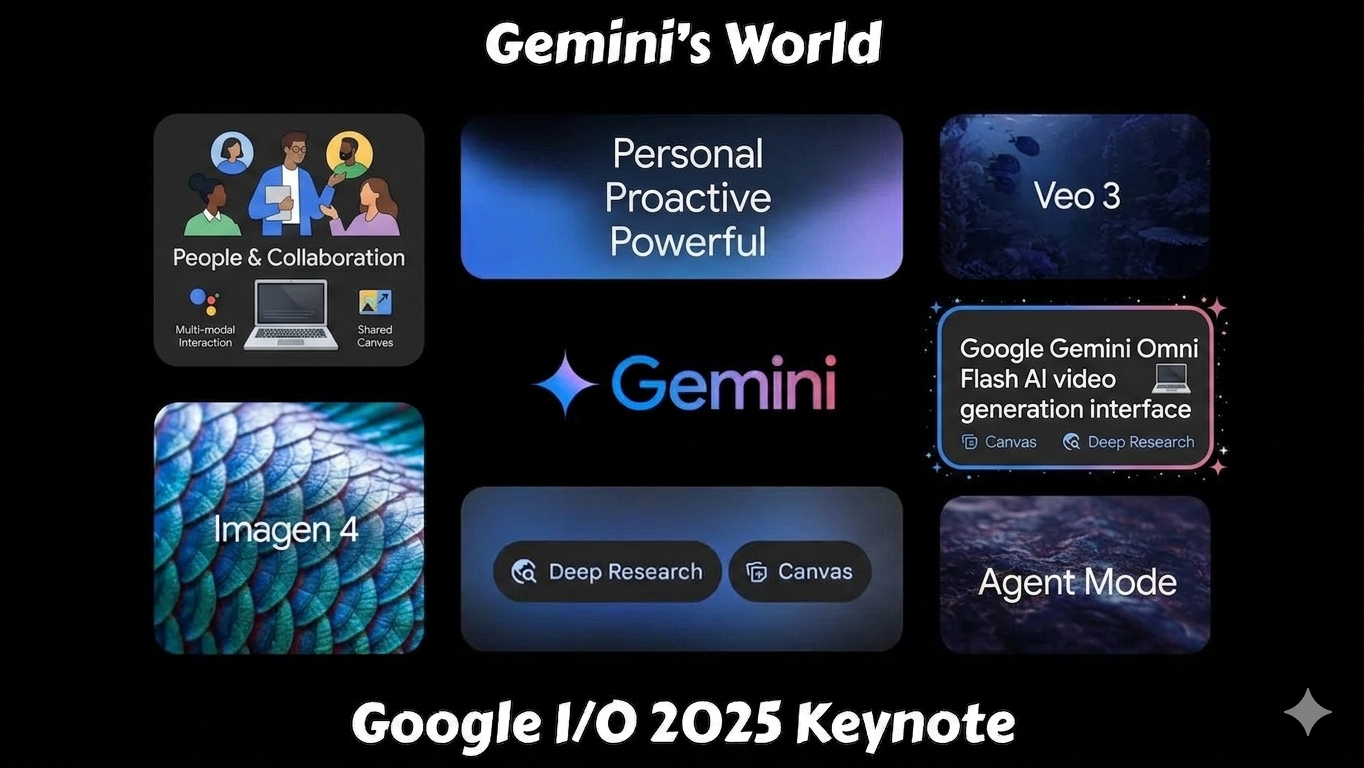
Google Gemini Omni Flash has officially introduced a powerful next-generation AI model designed for creating videos using text, images, audio, and video prompts. Announced during Google I/O 2026, this new AI tool is becoming one of the biggest innovations in AI content creation.
Unlike traditional AI video tools, Gemini Omni Flash can understand multiple types of media together and generate realistic cinematic videos with conversational editing.
If you want to know what Gemini Omni Flash is, its features, pricing, and how to use it, this complete SEO-friendly guide will help you understand everything.
Google launched Gemini Omni Flash as part of the new Gemini Omni family of multimodal AI models.
The model combines:
into one intelligent system. you can also check latest AI technology trends 2026
Google describes it as an AI model that can “create anything from any input.”
Currently, Gemini Omni Flash mainly focuses on:
Gemini Omni Flash accepts:
You can combine all of them in a single prompt to generate high-quality videos.
Example:
You can upload:
and Gemini Omni Flash will create a cinematic AI video automatically.
The biggest feature is AI-powered video creation.
Users can generate:
directly using AI prompts.
One of the most advanced features is natural language editing.
Instead of using complex editing software, you can simply type:
and the AI edits the video automatically.
Gemini Omni Flash understands:
This makes generated videos look more realistic compared to older AI tools.
Many AI video generators struggle to maintain the same character throughout scenes.
Gemini Omni Flash solves this problem by remembering:
during multi-step editing.
Gemini Omni Flash is rolling out across:
making it easier for creators to produce AI videos directly inside Google platforms.
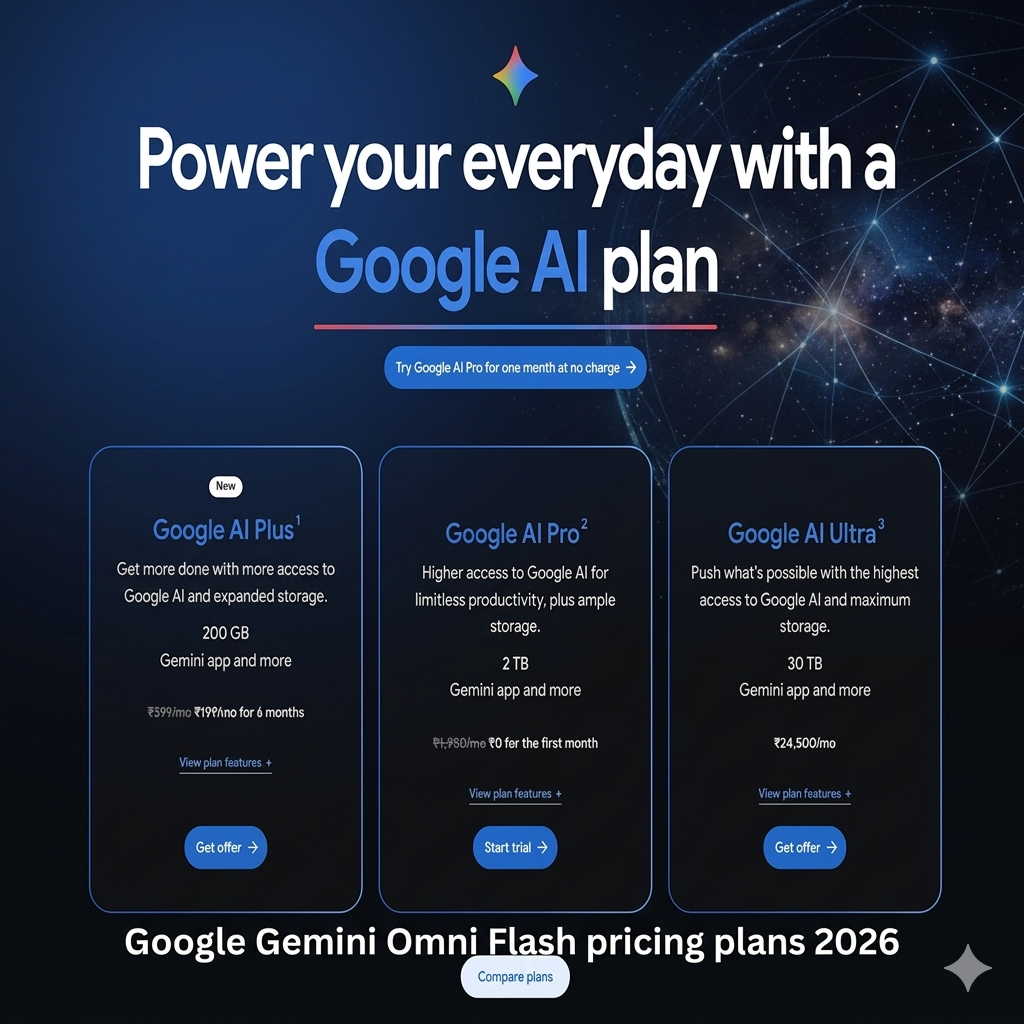
Google has not yet published official standalone API pricing for Gemini Omni Flash, but the model is currently available through Google’s AI subscription plans and selected apps.
| Plan | Monthly Price | Gemini Omni Flash Access | Best For |
|---|---|---|---|
| Free Tier | Free | Limited access via YouTube Shorts & YouTube Create | Casual users |
| AI Plus | Around $20/month | Gemini app + Google Flow access | Regular creators |
| AI Pro | Around $30/month | Higher usage limits | Power users |
| AI Ultra | Around $100/month | Highest limits + early AI features | Professionals & studios |
Some reports suggest advanced API pricing may depend on token usage and video generation limits.
Google is offering limited Gemini Omni Flash access inside:
This version is mainly for short-form AI video generation and testing.
The AI Plus plan includes:
This plan is designed for creators who make social media content regularly.
AI Pro offers:
Good for:
Google introduced a new premium AI Ultra tier at Google I/O 2026.
Features include:
This plan targets:
Currently, Google has not officially released Gemini Omni API pricing. Experts expect pricing to follow Google’s existing Veo and Gemini API structure.
Estimated future pricing:
These are estimates from AI industry analysts, not official Google pricing yet.
Partially.
You can try it for free in:
But full access inside the Gemini app and Google Flow requires a paid AI subscription.
| User Type | Recommended Plan |
|---|---|
| Beginners | Free Tier |
| Social Media Creators | AI Plus |
| Professional YouTubers | AI Pro |
| Agencies & Developers | AI Ultra |
Google’s Gemini Omni Flash lets you create and edit AI videos using:
You can use it inside:
You can access it through:
Google AI Plus, Pro, and Ultra subscribers currently get the best access.
Inside the Gemini interface:
(if available in your region)
You can:
Example prompt:
“Create a futuristic city cinematic trailer with rain and neon lights.”
Click Generate and wait for AI processing.
The system creates:
automatically.
You can continue editing using simple instructions like:
Perfect for:
Useful for:
Teachers can create:
Creators can generate:
using AI.
| Feature | Traditional Editing | Gemini Omni Flash |
|---|---|---|
| Editing Complexity | High | Easy |
| Requires Software Skills | Yes | No |
| AI Automation | Limited | Advanced |
| Text-Based Editing | No | Yes |
| Multi-Input Support | Limited | Full |
| Speed | Slow | Fast |
Gemini Omni Flash competes with:
What makes Gemini Omni unique is:
Google says all AI-generated content from Gemini Omni includes:
to help reduce misinformation and deepfake misuse.
The future of Google’s Gemini Omni Flash looks extremely promising as AI video technology continues to evolve rapidly. Google is positioning Gemini Omni Flash as more than just a text-to-video generator by focusing on multimodal AI that can understand and combine text, images, audio, and video in a single workflow. In the coming years, the platform is expected to support longer videos, more realistic motion, stronger scene consistency, and advanced conversational editing where users can modify scenes naturally without restarting projects. Google is also working toward real-time AI interactions, improved AI avatars, virtual presenters, and deeper integration across products like YouTube, Android, Google Workspace, and the Gemini app. Many experts believe Gemini Omni Flash could eventually transform content creation, filmmaking, advertising, education, and social media production by making high-quality video generation faster and more affordable. While challenges such as deepfake safety, generation costs, and strong competition from tools like Sora and Runway still exist, Gemini Omni Flash represents Google’s long-term vision of “create anything from any input,” which could shape the future of AI-powered media creation.
Google plans to expand Gemini Omni capabilities further with:
The company aims to make Gemini a complete AI creativity platform across all media types.
Gemini Omni Flash is one of the most exciting AI launches of 2026. It combines powerful AI reasoning with advanced video generation to simplify content creation for everyone. Google’s Gemini Omni Flash represents a major step forward in the evolution of AI-powered content creation. Unlike traditional AI video tools that rely only on text prompts, Gemini Omni Flash combines text, images, audio, and video into a single multimodal workflow, making the creative process faster, smarter, and more interactive. Its conversational editing system allows users to continuously refine videos through simple chat commands, which makes it feel more like a professional AI video editor rather than just another text-to-video generator. From creating YouTube Shorts and marketing ads to cinematic scenes, educational content, AI avatars, and animated videos, the platform offers powerful possibilities for creators, businesses, educators, and filmmakers.
Whether you are:
Gemini Omni Flash can help create professional-quality videos using simple prompts and conversational editing.
As AI video technology continues to improve, Google’s Gemini Omni Flash may become a major competitor in the future of AI-powered creativity.
Although Gemini Omni Flash is still in its early rollout phase and currently has limitations like short video duration, generation limits, and evolving pricing plans, Google’s long-term vision for the technology is much bigger. Future updates are expected to bring longer videos, stronger scene consistency, better physics simulation, real-time AI interaction, and deeper integration across the Google ecosystem including YouTube, Android, and Workspace. As competition in the AI video industry grows with platforms like Sora, Runway, Kling, and Pika Labs, Gemini Omni Flash is positioning itself as one of the most advanced multimodal AI video tools available in 2026.
For content creators and digital marketers, Gemini Omni Flash could significantly reduce the time and cost required to produce professional-quality videos. For developers and businesses, upcoming API access may unlock entirely new AI-powered applications and automated content workflows. While ethical concerns such as deepfakes and AI-generated misinformation remain important challenges, Google is actively implementing safety systems like SynthID watermarking to improve transparency and responsible AI usage. Overall, Gemini Omni Flash highlights how rapidly AI creativity is evolving and gives a strong glimpse into the future of video production, where creating high-quality visual content may become as simple as having a conversation with AI.
Limited access may be available through YouTube Shorts and Gemini, but premium features require Google AI subscriptions.
No, Gemini Omni Flash is not completely free for all users. Google currently offers limited free access through YouTube Shorts and the YouTube Create app, while full access inside the Gemini app and Google Flow requires a Google AI subscription such as AI Plus, Pro, or Ultra.
You can currently try Gemini Omni Flash for free in:
Google is gradually rolling out free access in selected regions and platforms.
Yes. Full Gemini Omni Flash features such as higher generation limits, Google Flow integration, advanced editing tools, and premium AI video capabilities require:
plans.
The free version may include:
Some users on Reddit also report restricted access depending on region and account type.
At the moment, Google has not officially released complete API pricing for Gemini Omni Flash. Developer API access is expected soon, but paid pricing models will likely apply for large-scale usage.
Google AI Plus is currently the lowest paid tier with Gemini Omni Flash access. In India, pricing starts around ₹399/month according to Google’s subscription page.
Possibly. Google is still rolling out Gemini Omni Flash globally, and many users expect broader free access in future updates as competition in AI video generation increases.